
Tide
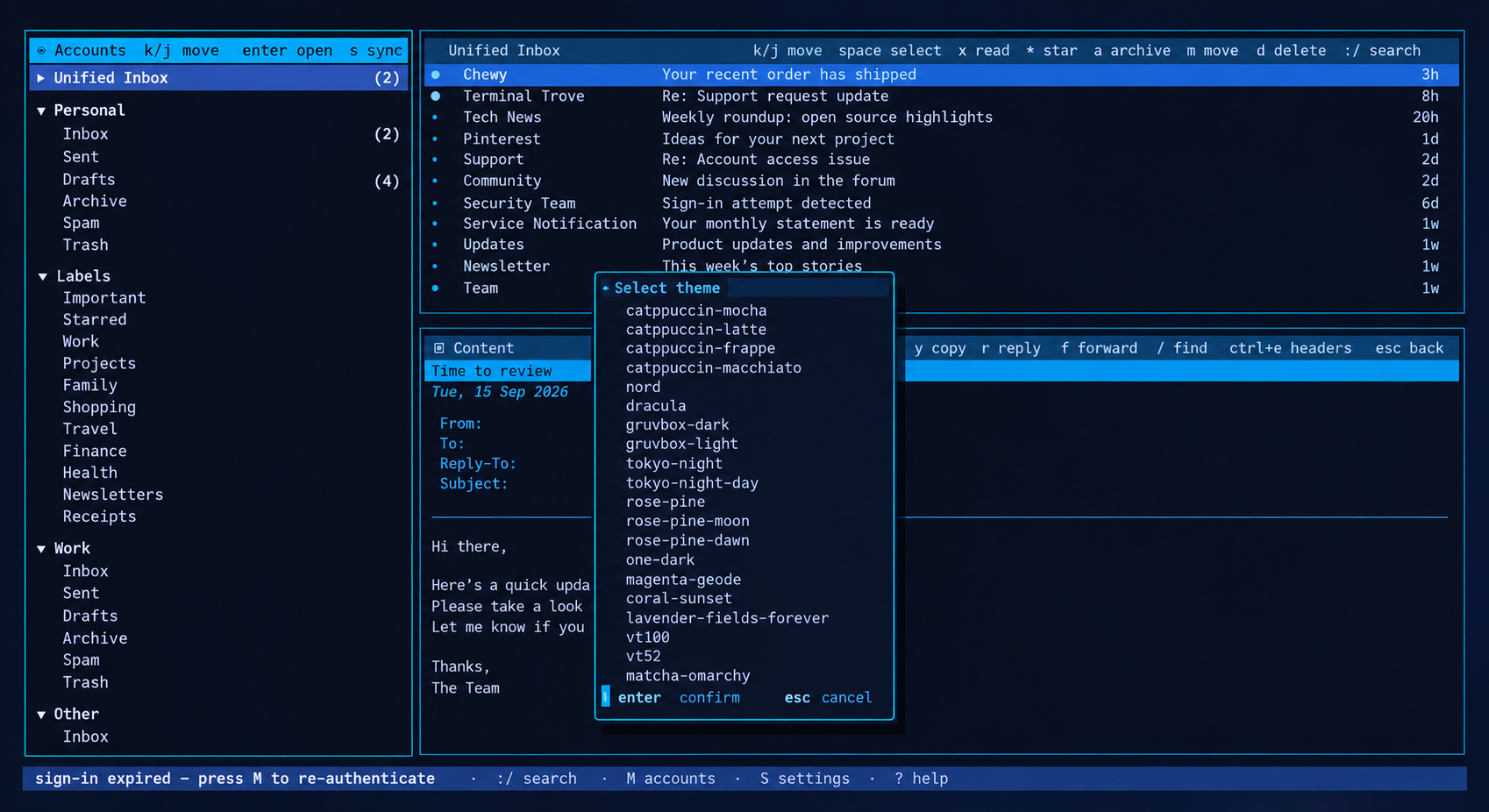
TideMail running in a terminal

TideMail · Terminal email client

Mail for people who live in a terminal.

Every account on one screen, every setting in a form. No config-file editing.

A GUI client's clarity, with a terminal client's speed and a keyboard that gets the good seat.

A unified inbox, an account picker and a reading pane that never hides your list. Set it up by filling in a form, not editing TOML.

Built around real habits

The things you do with mail every day, made fast.

One screen

  • Every account, one viewRead a unified inbox, or open any single account, folder or Gmail label from the same three-pane screen.
  • The list never disappearsAccounts left, message list top-right, reading pane below it. Opening a message doesn't hide your inbox.
  • Send from the right address Ctrl+UThe From row is an account picker. TideMail switches the SMTP server, Drafts folder, From address and signature to match.

Time to change your mind

  • Unsend Ctrl+ZA sent message waits five seconds by default. Ctrl+Z reopens it. Set the delay to 0 if you want mail gone at once.
  • Undo bulk actionsDelete, archive and move queue for six seconds before they reach the server. One Ctrl+Z puts the last batch back.
  • State belongs to the serverRead, star, archive, move and delete sync over IMAP. Changes made in Gmail or another client come back on the next sync.

Reading

  • HTML as clean terminal textMail renders to readable text and never loads remote images.
  • Unsubscribe without the hunt Ctrl+UUses the message's unsubscribe header or its labelled link. No scrolling to a 6px footer.
  • Headers when you want them Ctrl+EFull headers one keystroke away, with SPF, DKIM and DMARC results called out in colour.
  • Search that stays live /Global search across the local cache, results navigable while the query stays active.

Compose

  • Drafts save as you typeUnder the selected sender account. Reopen one and the same account picker is there.
  • Contacts, then historyTo, CC and BCC suggest saved contacts first, then addresses from mail you've synced.
  • Your editor, your wayShift-selection, system clipboard, undo and redo, word movement, or switch on Vim mode.
  • Optional AI, off by defaultPoint it at OpenAI, Claude, Gemini or a local Ollama for summaries and a draft proofread. Bring your own key.

Setup and secrets

  • No config file editing MAdd incoming and outgoing settings in the app, save with Ctrl+S. Any IMAP or SMTP server works via the Custom provider.
  • OAuth where it mattersGmail and Outlook sign in with OAuth. Outlook needs no setup. Gmail wants a free Google Cloud project you own.
  • Secrets in the keychainPasswords, AI keys and OAuth refresh tokens go to libsecret on Linux or Keychain on macOS.
  • Mail as it landsIMAP IDLE by default. Interval polling and manual-only modes are there for servers that need them.

See your whole inbox at once.

Accounts, message list and reading pane, with the authentication results in colour.

TideMail showing a unified inbox, a message list and a reading pane

The keys to know

j k
move down and up
Tab
cross panes, or move between compose fields
c r f
compose, reply, forward
Space a m d
select, archive, move, delete
* x
toggle IMAP star, toggle read
/ : ?
search, command palette, searchable help
M S T
accounts, settings, themes

Worth knowing

  • IMAP and SMTP only. Standard mail protocols, including on-prem Exchange that still speaks IMAP. No proprietary-only or EWS-only mailboxes.
  • Linux and macOS. No Windows build.
  • Gmail OAuth needs a project. TideMail ships no OAuth client, so a no-expiry Gmail token means creating a free Google Cloud project you own. Outlook needs nothing.
  • AI is bring-your-own-key, and stays off until you configure a provider.

One line, then press M.

Linux and macOS, Intel and ARM. The installer writes to ~/.local/bin, so no system password.

One line

curl -fsSL https://raw.githubusercontent.com/allisonhere/tidemail/main/install.sh | sh

Then

tidemail